Entity Reference
Entity References are created by placing Entity Definitions on the map. While the map editor is in Entity mode, right click a tile to bring up a drop down menu. Select Add Entity Reference and you will then select your Entity Reference from the list of your Entity Definitions.
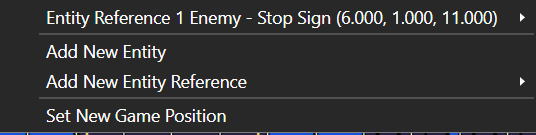 This creates an Entity Reference on the Map. Each Entity Reference is listed in the Tools section of the map editor.
Once an Entity Definition is an Entity Reference on the Map, you can convert into a standard Entity and edit it as you would any other Entity.
Double clicking the Entity Reference in the Map Editor will bring up an Entity Reference menu.
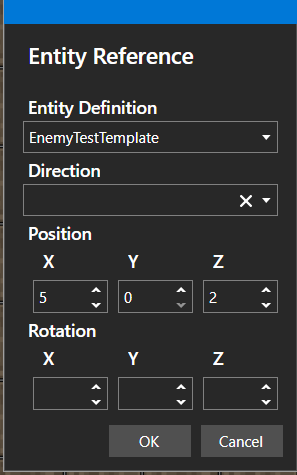
Entity Reference
| Name | Explanation | Type |
|---|---|---|
| Entity Definition | The Entity Definition being referenced | |
| Direction | The direction the Entity Reference is facing | |
| Position | The x, y, and z co-ordinates for where the Entity Reference is located on the Map. | |
| Rotation | The x, y, and z co-ordinates for the rotation of the Entity Reference on the Map. |
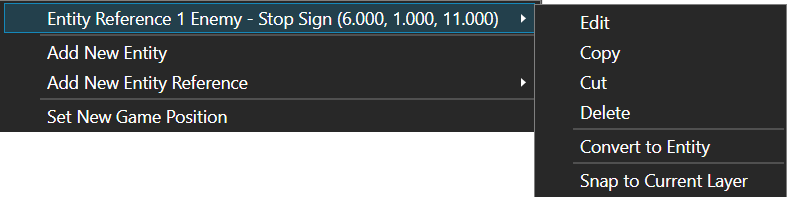
Right clicking the Entity Reference will bring up a drop down menu. From there, you can hover over the Entity Reference to see further options. These are Edit, which brings up the Entity Reference menu, to copy, cut, or delete the Reference, or to Convert To Entity, which will convert the reference into a normal Entity as well as to snap the Reference to the current working layer.