Doodads
Doodads
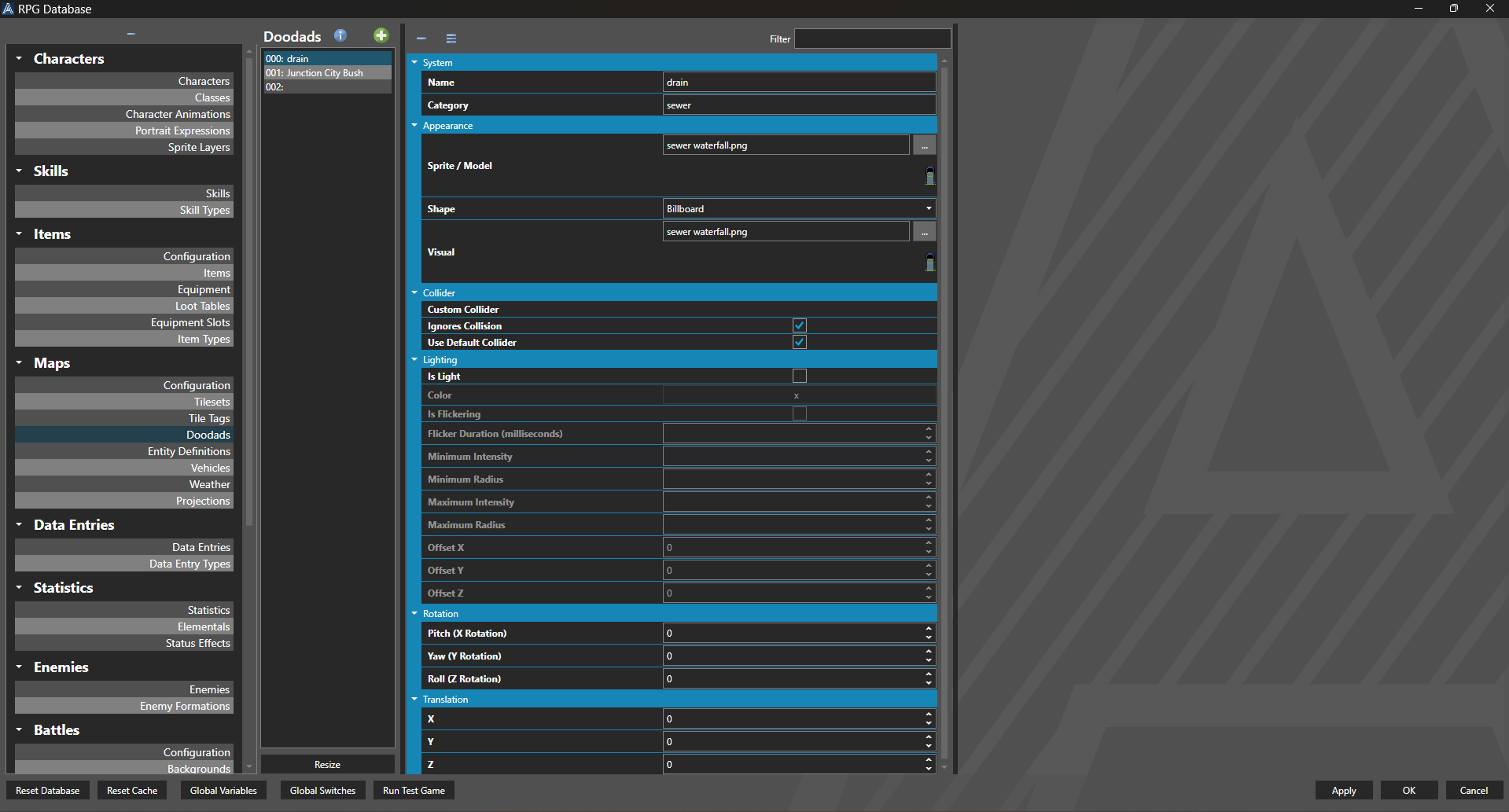
Doodads are used for map decorations or details that are not possible with just tiles, using a 3D model or sprite sheet. Doodads can also be animated. They are like entities, but do not have the capability to have an attached script or be interacted with. The best practice is to use a doodad instead of an entity if no scripts are necessary for the entity, as it is more performant.
For example, the street may be tiles, but the lamp posts lining it would be animated Doodads.
Doodads can be placed on the map by putting the map editor into Doodad mode.
Properties
System
| Name | Explanation | Type |
|---|---|---|
| Name | The name of the Doodad. | String |
| Category | The category of organization for the Doodad. | String |
Appearance
| Name | Explanation | Type |
|---|---|---|
| Is 3D Model | Whether or not the Doodad is a 3D model. | Toggle |
| Is Sprite | Whether or not the Doodad is a sprite. | Toggle |
| Sprite / Model | The Sprite or Model of the Doodad. | Sprite or Model |
| Shape | The shape of the Doodad in 3D mode. Doodads render as sprites/billboards in 2D mode. | Doodad Shape (see bottom of page) |
| Visual | The visual of the Doodad in the editor. | Sprite |
Collider
| Name | Explanation | Type |
|---|---|---|
| Custom Collider | The settings for the dimensions of the Doodad collider. Values are measured in tiles. | Collider |
| Ignores Collision | Whether or not the Doodad ignores all collision. | Toggle |
| Use Default Collider | Whether or not the Doodad should use the default collider specified in the Map Configuration. | Toggle |
Lighting
| Name | Explanation | Type |
|---|---|---|
| Is Light | Whether or not the Doodad emits light. | Toggle |
| Color | What color the light emitted is, defined by a hexidemical value. | Number |
| Is Flickering | Whether or not the light emitted by the Doodad flickers. | Toggle |
| Flicker Duration | The duration of the flicker, in milliseconds. | Number |
| Minimum Intensity | The minimum intensity of the light. | Number |
| Minimum Radius | The minimum radius of the light. | Number |
| Maximum Intensity | The maximum intensity of the light. | Number |
| Maximum Radius | The minimum radius of the light. | Number |
| Offset X | The offset of the light along the x-axis | Number |
| Offset Y | The offset of the light along the y-axis | Number |
| Offset Z | The offset of the light along the z-axis | Number |
Rotation
| Name | Explanation | Type |
|---|---|---|
| Pitch (X Rotation) | The pitch of the Doodad in degrees. | Number |
| Yaw (Y Rotation) | The yaw of the Doodad in degrees. | Number |
| Roll (Z Rotation) | The roll of the Doodad in degrees. | Number |
Scale
| Name | Explanation | Type |
|---|---|---|
| X | The x component of the scale of the Doodad. | Number |
| Y | The y component of the scale of the Doodad. | Number |
| Z | The z component of the scale of the Doodad. | Number |
Translation
| Name | Explanation | Type |
|---|---|---|
| X | The x component of the translation of the Doodad. | Number |
| Y | The y component of the translation of the Doodad. | Number |
| Z | The z component of the translation of the Doodad. | Number |
Doodad Shapes
| Name | Explanation |
|---|---|
| Billboard | Renders the Doodad as a billboard, which is the same way that sprites render in 3D. |
| Flat - X Plane | Renders the Doodad as a flat image anchored to the x plane (east-west). |
| Flat - Z Plane | Renders the Doodad as a flat image anchored to the z plane (north-south). |
| Cardinal Cross | Renders the Doodad twice as both Flat - X Plane and Flat - Z Plane (east-west and north-south). |
| Complex Cardinal Cross | Renders the Doodad four times, as a Cardinal Cross and along diagonal planes (northeast-southwest and southeast-northwest). |