Character Animations
Character Animations
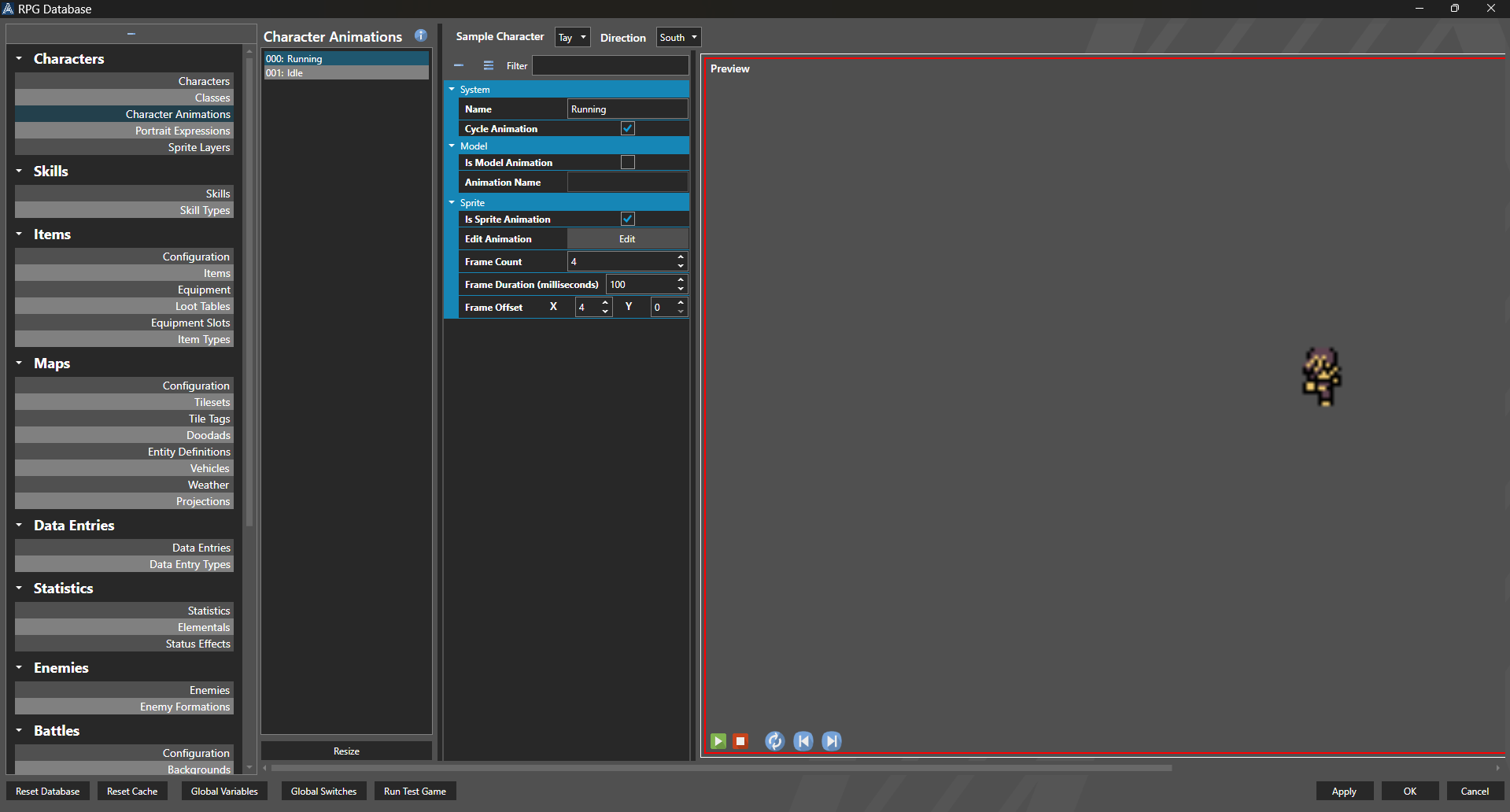
Character Animations are on-map animation poses for sprites. They are defined by the user as particular sections, or offsets, on a sprite sheets. Character Animations are user-defined, and the number of them is controllable by the user, and they can be used for any sprite on the overworld. This can be used for traditional emotes by a character, such as surprise, sadness, or joy, or utilized to make a Zelda-like, with attack, defense, and damaged poses.
These can then be called using Global or Entity Scripts, and apply across all sprite sheets. You do not have to define these custom poses for each unique sprite, but use these definitions to make the process much faster. Character Animations should be supplied with directional frames - for a four-direction sprite sheet, you will need all four directions of animation, even if they use the same frame.
Character Animations work solely off of offsets inside the frames of a sprite sheet. If sprite sheets are different sizes, but follow the same overall frame layout when built, the animation will be called as normal.
If one sprite sheet is organized as 32x32 frames and another is organized as 32x48 frames, but they follow the same layout inside each sprite sheet, the character animations will work the same.
Properties
System
| Name | Explanation | Type |
|---|---|---|
| Name | The name of the Character Animation. | String |
| Cycle Animation | Whether or not the Animation continues to animate or loop. | Toggle |
Model
| Name | Explanation | Type |
|---|---|---|
| Is Model Animation | Whether or not the Animation is for a 3D model. | Toggle |
| Animation Name | The Model Animation to use. | String |
Sprite
| Name | Explanation | Type |
|---|---|---|
| Is Sprite Animation | Whether or not the Animation is for a sprite. | Toggle |
| Frame Count | The number of frames in the Animation. | Number |
| Frame Duration | The duration of each Animation frame in milliseconds. | Number |
| Frame Offset | The number of frames offset from the standard (normally walking) pose of the sprite sheet. | Number |
Example: Assume that you are using a simple sprite sheet that leverages a 16x16 frame. Typically, these have three frames for walking, in four directions, for a total size of 48x64. If you set up another animation on the sheet in a 48x64 block next to the walking animation, for example, an attack animation, you can then set the correct offsets in Character Animation for 'attack' which will use the next block of animations on the sprite sheet. When the Animation is called, it will play the attack animation - for any sprite sheet formatted in the same manner.