Configuration
Map Configuration
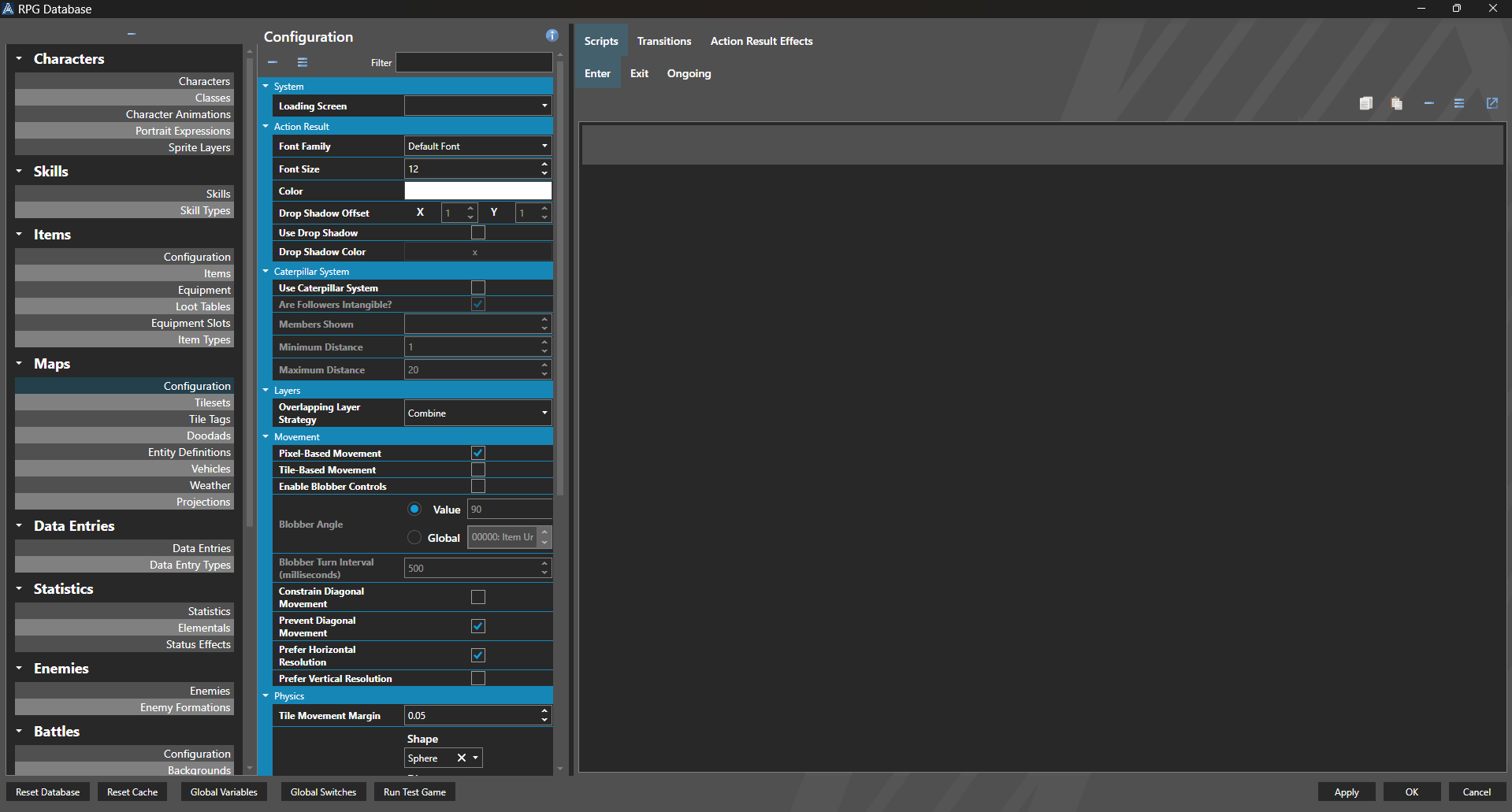
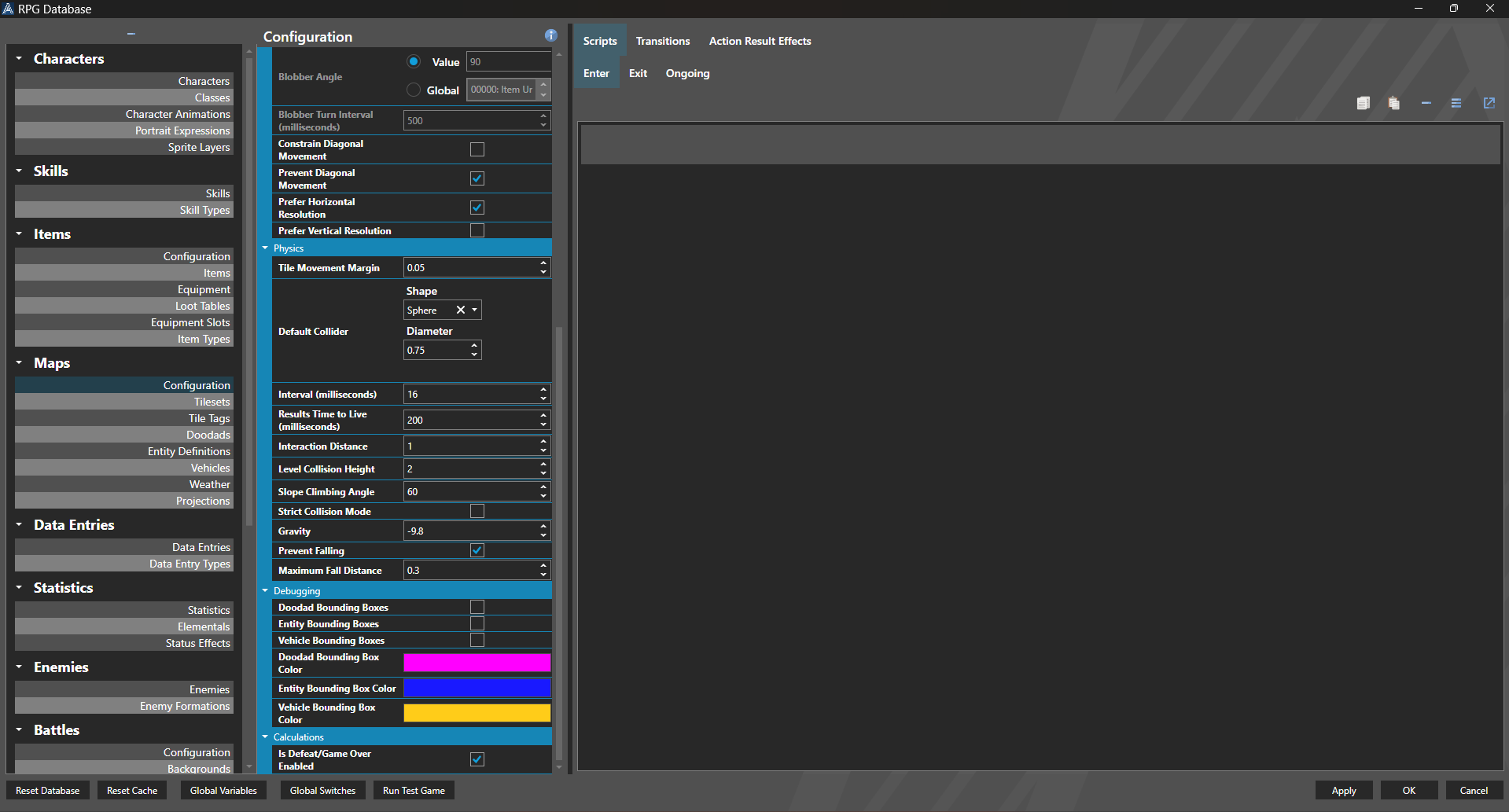
Map Configuration is used to setup how the map engine functions in your game.
Properties
System
| Name | Explanation | Type |
|---|---|---|
| Loading Screen | The user interface to use for the loading screen for the Scene. | User Interface |
Action Result
| Name | Explanation | Type |
|---|---|---|
| Font Family | The font family of the action result. | Font Family |
| Font Size | The font size of the action result. | Number |
| Color | The color of the action result. | Color |
| Use Drop Shadow | Whether or not to display a drop shadow on the action result. | Toggle |
| Drop Shadow Color | The color of the drop shadow of the action result. | Color |
| Drop Shadow Offset | The offset of the drop shadow of the action result. | Number |
Caterpillar System
| Name | Explanation | Type |
|---|---|---|
| Use Caterpillar System | Whether or not to use a caterpillar system for party followers. | Toggle |
| Are Followers Intangible | Whether or not the caterpillar members are intangible and do not truly interact with physics. | Toggle |
| Members Shown | The count of members that can be shown on the map. | Number |
| Minimum Distance | The minimum distance before a caterpillar member teleports to catch up to the leader. | Number |
| Maximum Distance | The maximum distance before a caterpillar member teleports to catch up to the leader. | Number |
Layers
| Name | Explanation | Type |
|---|---|---|
| Overlapping Layer Strategy | The strategy for handling duplicate tile layer data. | Tile Overlap Strategy |
Movement
| Name | Explanation | Type |
|---|---|---|
| Pixel-Based Movement | Whether or not pixel based movement is enabled. | Toggle |
| Tile-Based Movement | Whether or not tile based movement is enabled. | Toggle |
| Blobber Controls | Whether or not to use blobber-style controls when in 3D. | Toggle |
| Blobber Angle | The angle to rotate the yaw when blobber-style controls are enabled. | Variable or Value |
| Blobber Turn Interval (milliseconds) | The fixed time it takes to change the camera when blobber-style controls are enabled. | Number |
| Blobber Strict Mode | Whether or not the blobber-style controls prevent forward and backward movement when the angle turns. | Toggle |
| Constrain Diagonal Movement | Whether or not to limit components of diagonal movement to make it more realistic. | Toggle |
| Prevent Diagonal Movement | Whether or not to prevent diagonal movement. | Toggle |
| Prefer Horizontal Resolution | Whether or not to prefer a horizontal frame when handling direction resolution. | Toggle |
| Prefer Vertical Resolution | Whether or not to prefer a vertical frame when handling direction resolution. | Toggle |
Physics
| Name | Explanation | Type |
|---|---|---|
| Tile Movement Margin | The vertical offset to apply to volumetric movement calculations to adjust physics calculations. | Number |
| Default Collider | The default collider used by Entities or characters on maps. | Collider |
| Interval (milliseconds) | The fixed interval that physics runs at. | Number |
| Interaction Distance | The distance an action key interaction searches forward. | Number |
| Level Collision Height | The height used to create boundaries for level geometry when a tile is marked for collision. | Number |
| Slope Climbing Angle | The maximum angle allowed for climbing slopes in degrees. | Number |
| Strict Collision Mode | Whether or not any collision prevents movement. | Toggle |
| Gravity | The default gravity to apply to Entities. | Number |
| Prevent Falling | Whether or not to actively prevent Entities from falling. | Toggle |
| Maximum Fall Distance | The maximum distance that something can fall and not be considered falling. | Number |
Debugging
| Name | Explanation | Type |
|---|---|---|
| Doodad Bounding Boxes | Whether or not to render Doodad bounding boxes. | Toggle |
| Entity Bounding Boxes | Whether or not to render Entity bounding boxes. | Toggle |
| Vehicle Bounding Boxes | Whether or not to render Vehicle bounding boxes. | Toggle |
| Doodad Bounding Box Color | The color to render the bounding boxes for Doodads. | Color |
| Entity Bounding Box Color | The color to render the bounding boxes for Entities. | Color |
| Vehicle Bounding Box Color | The color to render the bounding boxes for Vehicles. | Color |
Calculations
| Name | Explanation | Type |
|---|---|---|
| Is Defeat/Game Over Enabled | Whether or not the default defeat condition in the battle configuration is checked for when statistics are updated. | Toggle |
Scripts
| Name | Explanation | Type |
|---|---|---|
| Enter Map | The script to execute upon entering a map. | Script |
| Exit Map | The script to execute upon exiting a map. | Script |
| Ongoing Map | The script to execute in the background of a map. | Script |
Transitions
| Name | Explanation | Type |
|---|---|---|
| Enter Transition | The transition for entering the scene. | Transition |
| Exit For Battle Transition | The transition for exiting the scene for a battle scene. | Transition |
| Exit Transition | The transition for exiting the scene. | Transition |
Action Result Effects
| Name | Explanation | Type |
|---|---|---|
| Effects | The effects to apply to the action result. | Annotation Effect |