Video Configuration
Video Configuration
This section is for setting the default video settings for your currently loaded project.
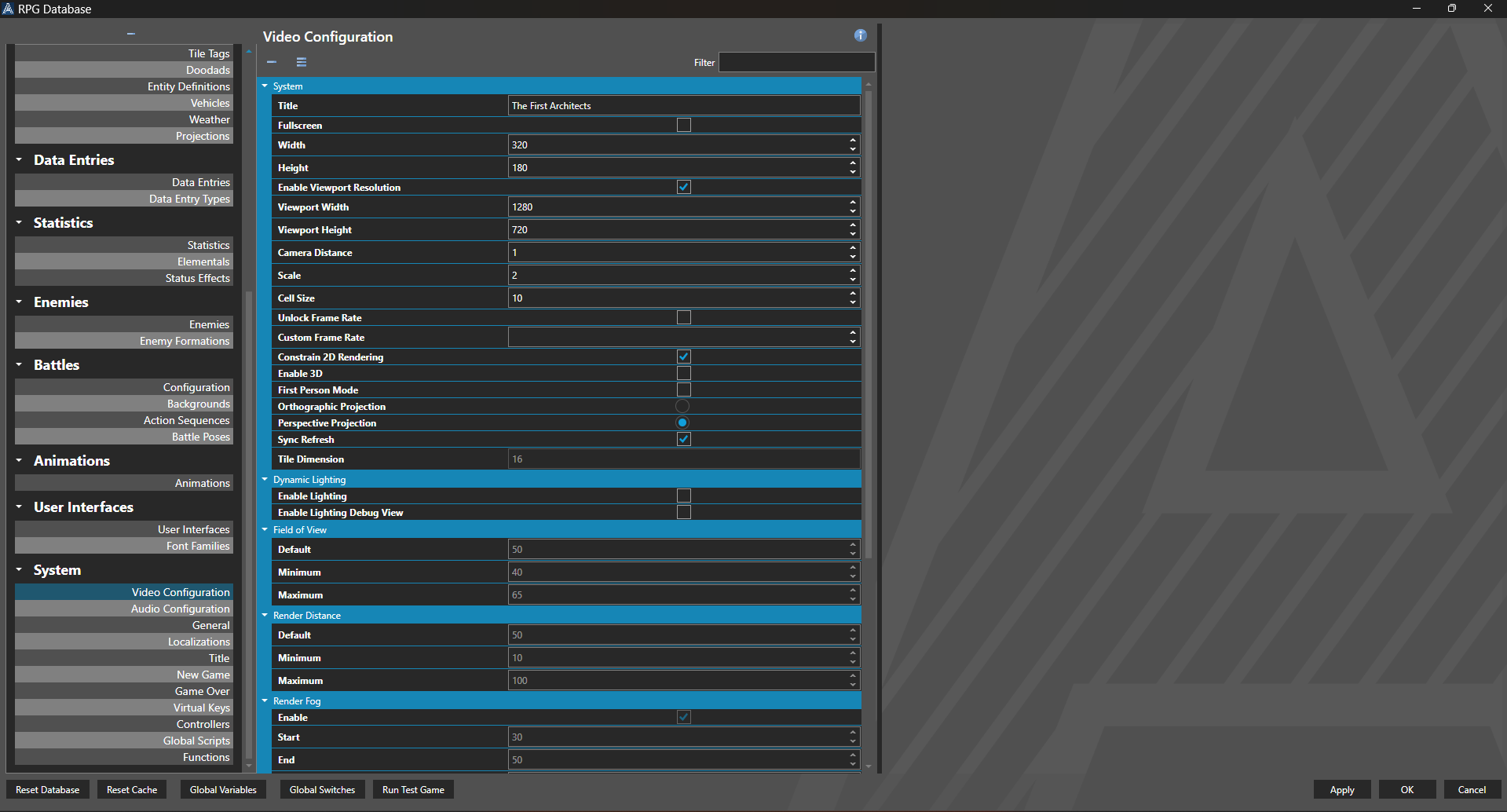
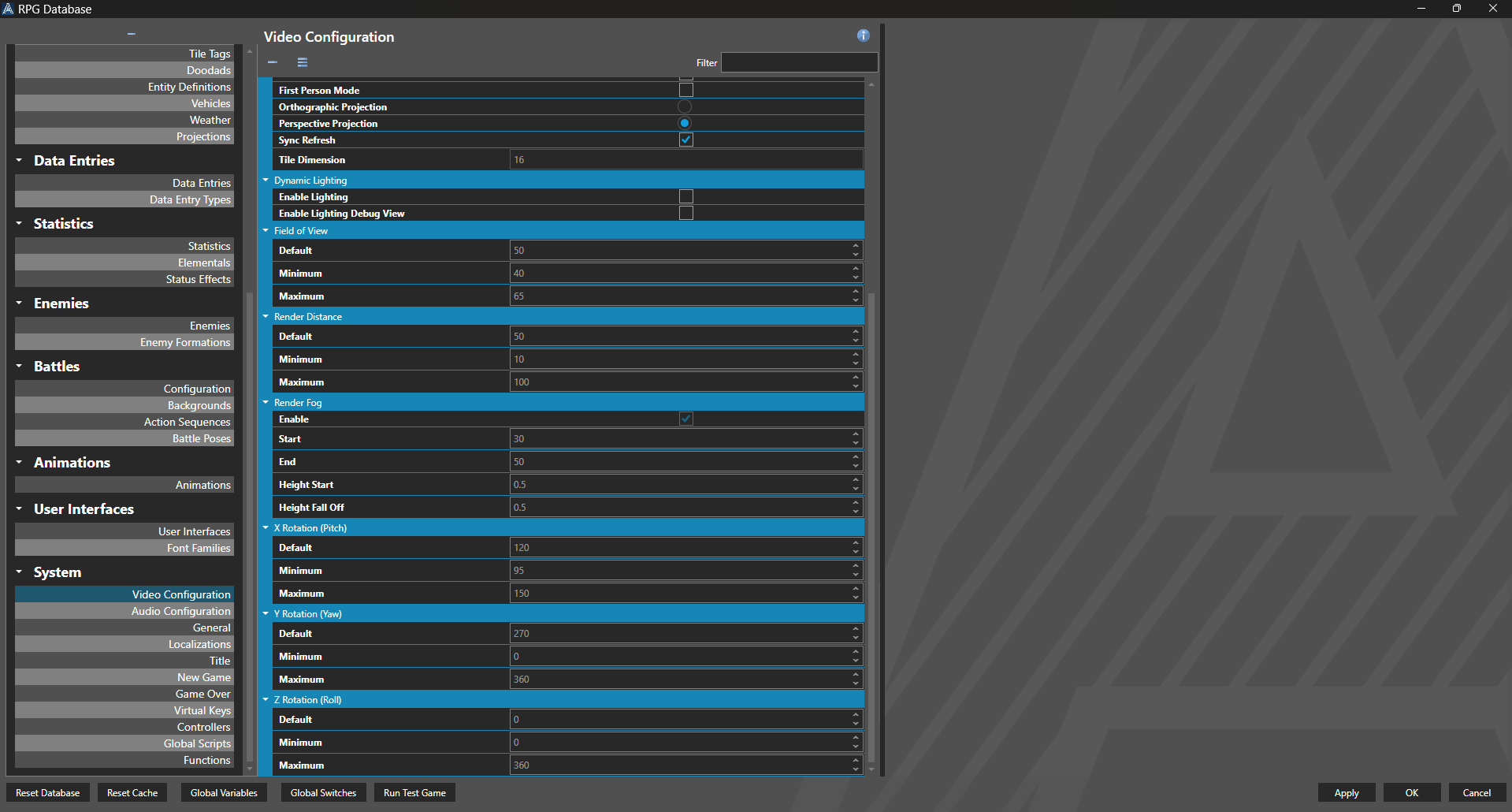
Best Practice: When using 3D mode, it is recommended you set the rendering resolution relatively high. This prevents distortion of billboards wwhen the game is rendered. Viewport windows can be smaller than your rendering resolution. For example, you may render your game at 1920x1080, but have the viewport be a 320x180 window.
Properties
System
| Name | Explanation | Type |
|---|---|---|
| Title | The title of the game window. | String |
| Fullscreen | Whether or not to render to a forced fullscreen mode. | Toggle |
| Width | The target resolution width, in pixels. | Number |
| Height | The target resolution height, in pixels. | Number |
| Enable Viewport Resolution | Whether or not to use a resolution for the viewport independent of the internal resolution. | Toggle |
| Viewport Width | The resolution of the viewport width, in pixels. | Number |
| Viewport Height | The resolution of the viewport height, in pixels. | Number |
| Camera Distance | The distance the camera is from its target. | Number |
| Scale | The scale of the rendered pixels. | Number |
| Cell Size | The size of each rendered cell. | Number |
| Unlock Frame Rate | Whether or not to allow an unlimited frame rate. | Toggle |
| Custom Frame Rate | The targeted frame rate. | Number |
| Constrain 2D Rendering | Whether or not to keep a 2D scene from extending beyond the map boundaries. | Toggle |
| Enable 3D | Whether or not to render in 3D. | Toggle |
| First Person Mode | Whether or not to render in a first-person viewpoint within 3D. | Toggle |
| Orthographic Projection | Whether or not to render 3D orthographically. Note: This causes all objects to render at the same unit size, regardless of the distance from the camera. | Toggle |
| Perspective Projection | Whether or not to render 3D from a perspective. Note: This causes objects to render at different sizes, depending of the distance from the camera. | Toggle |
| Sync Refresh | Whether or not to synchronize with refresh rate of a connected display. | Toggle |
| Tile Dimension | Tile size of the project. | Number |
Dynamic Lighting
| Name | Explanation | Type |
|---|---|---|
| Enable Lighting | Whether or not to render positional lighting and shadows in 3D. | Toggle |
| Enable Lighting Debug View | Whether or not to render a lighting debug view. | Toggle |
Field of View
| Name | Explanation | Type |
|---|---|---|
| Default | The default field of view of the camera. Default: 50 | Number |
| Minimum | The minimum field of view of the camera. Default: 40 | Number |
| Maximum | The maximum field of view of the camera. Default: 65 | Number |
Render Distance
| Name | Explanation | Type |
|---|---|---|
| Default | The default render distance of the camera. Default: 100 | Number |
| Minimum | The minimum render distance of the camera. Default: 10 | Number |
| Maximum | The maximum render distance of the camera. Default: 100 | Number |
Render Fog
| Name | Explanation | Type |
|---|---|---|
| Enable | Whether or not to render volumetric fog. | Toggle |
| Start | The distance from the camera where the fog begins. Default: 30 | Number |
| End | The distance from the camera where the fog ends. Default: 50 | Number |
| Height Fall Off | The height at which the fog ends. Default: .5 | Number |
| Height Start | The height at which the fog begins. Default: 0 | Number |
X Rotation (Pitch)
| Name | Explanation | Type |
|---|---|---|
| Default | The default X value or pitch of the camera. Default: 120 | Number |
| Minimum | The minimum X value or pitch of the camera. Default: 95 | Number |
| Maximum | The maximum X value or pitch of the camera. Default: 150 | Number |
Y Rotation (Yaw)
| Name | Explanation | Type |
|---|---|---|
| Default | The default Y value or yaw of the camera. Default: 270 | Number |
| Minimum | The minimum Y value or yaw of the camera. Default: 0 | Number |
| Maximum | The maximum Y value or yaw of the camera. Default: 360 | Number |
Z Rotation (Roll)
| Name | Explanation | Type |
|---|---|---|
| Default | The default Z value or roll of the camera. Default: 0 | Number |
| Minimum | The minimum Z value or roll of the camera. Default: 0 | Number |
| Maximum | The maximum Z value or roll of the camera. Default: 360 | Number |