Vehicles
Vehicles
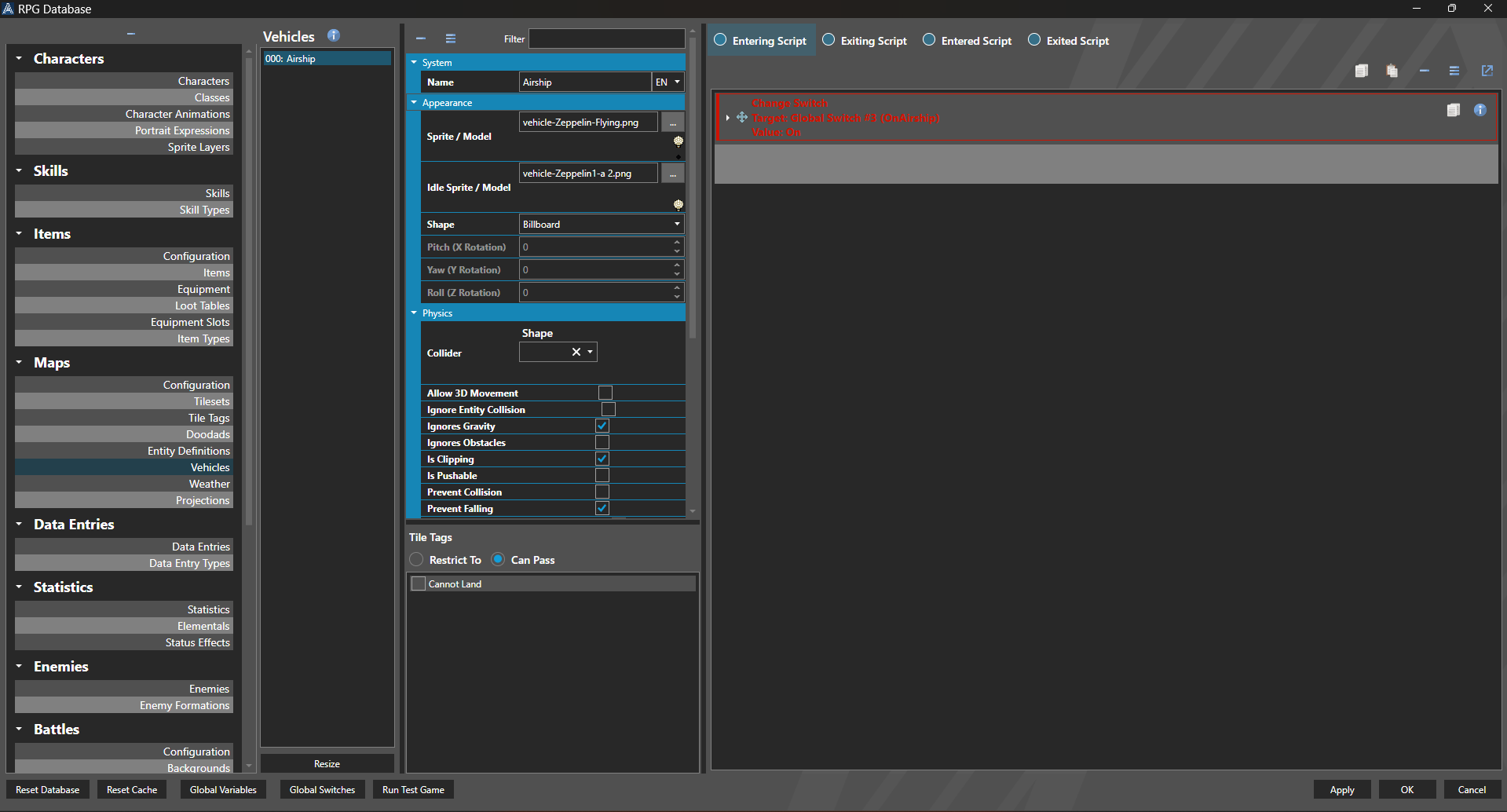
Vehicles are actors that can be boarded and controlled by player characters.
Properties
System
| Name | Explanation | Type |
|---|---|---|
| Name | The name of the Vehicle. | String |
Appearance
| Name | Explanation | Type |
|---|---|---|
| Sprite / Model | The sprite or model of the Vehicle on maps. | Sprite or Model |
| Idle Sprite / Model | The sprite or model of the Vehicle when not being ridden. | Sprite or Model |
Physics
| Name | Explanation | Type |
|---|---|---|
| Collider | The settings for the dimensions of the character collider. Values are measured in tiles. | Collider |
| Ignore Entity Collision | Whether or not to ignore collision between other entities. | Toggle |
| Ignores Gravity | Whether or not the Vehicle ignores the effects of gravity. | Toggle |
| Ignores Obstacles | Whether or not the Vehicle ignores terrain obstacles. | Toggle |
| Is Clipping | Whether or not the Vehicle operates independently of physics. | Toggle |
| Is Pushable | Whether or not the Vehicle can be pushed. | Toggle |
| Prevent Collision | Whether or not the Vehicle tries to avoid occupying the same tile as another entity. | Toggle |
| Prevent Falling | Whether or not the Vehicle tries to avoid falling. | Toggle |
| Register Ignored Collisions | Whether or not to register collisions even when ignored. | Toggle |
| Speed | The speed multiplier of the Vehicle. | Number |
Map Configuration
| Name | Explanation | Type |
|---|---|---|
| Enter Interaction | The interaction to trigger entering the Vehicle. | Interaction |
| Exit Interaction | The interaction to trigger exiting the Vehicle. | Interaction |
| Entering Script | The script that is executed before entry. | Script |
| Exiting Script | The script that is executed before exit. | Script |
| Entered Script | The script that is executed after entry. | Script |
| Exited Script | The script that is executed after exit. | Script |
| Encounter Factor | The factor applied to encounter steps. | Number |
| Use Caterpillar System | Whether or not the Vehicle is setup for each character in the party. | Toggle |
| Is Character Visible | Whether or not the character is visible on the Vehicle. | Toggle |
| Character Riding Animation | The animation to apply to the character when riding the Vehicle. | Character Animations |
Audio
| Name | Explanation | Type |
|---|---|---|
| Use Custom Music | Whether or not to use custom music while riding the Vehicle. | Toggle |
| Custom Music | The custom music while riding the Vehicle. | Music |
Tile Tags
Tile tags allow for a Vehicle to be restricted or have the additional capacity to pass different Tile Tags.
Restrict To will restrict the Vehicle to running only on the tile tags selected.
Can Pass will allow for the Vehicle to pass the tile tags included, in addition to anything else that is normally passable.
Scripting
The scripting for Vehicle allows for flexible control over how Vehicles work in your game. The workflow for each is as follows:
When the interaction is met for entering:
- Entering Script
- Characters are removed from the map and placed inside or on vehicles
- Entered Script
When the interaction is met for exiting:
- Exiting Script (the entire operation is cancelled if Cancel Vehicle Exit is called in this script)
- Characters are removed from the vehicle and placed on the map
- Exited Script