New Game
New Game
New Game defines what happens when the player starts a fresh game. It controls the starting map and position the party arrives on, the initial party composition and inventory, the starting variables and switches, and the initialization script that runs before the player takes control.
The settings here are the project-wide defaults applied to every new game. Most projects configure these once when bootstrapping the game's opening — anything more dynamic is typically handled in the New Game initialization script rather than baked in here.
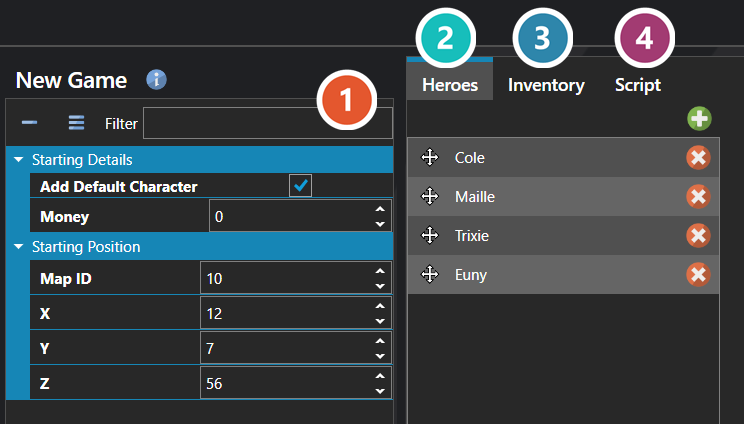
 Properties
The new game screen's own fields. Every one of them is listed under Properties further down this page.
 Heroes
The party the game begins with — who is in it, and what they are already carrying, taught and classed. See Party Editor.
 Inventory
What that party is carrying at the start — items and equipment, with a quantity each. Same editor as Heroes — see Party Editor.
 Script
Runs once as a new game begins — see Script Editor.
Properties
System
| Name | Explanation | Type |
|---|---|---|
| Loading Screen | The user interface displayed during loading. | User Interface |
| Start Map Position | The starting position on the map. | Vector |
Starting Details
| Name | Explanation | Type |
|---|---|---|
| Add Default Character | Adds a default character in the database if no party is defined. | Toggle |
| Money | The starting money of the party. | Number |
Starting Position
| Name | Explanation | Type |
|---|---|---|
| Map ID | The starting map ID. | Map |