Script Editor
Script Editor
Script Editor authors every script in the project: a stack of commands run in order, each configured through its own dialog.
Scripts are authored visually by default. The Visual / Code toggle presents the same script as text instead, changing how it is written and stored rather than what it does.
What the individual commands do is documented under Commands.
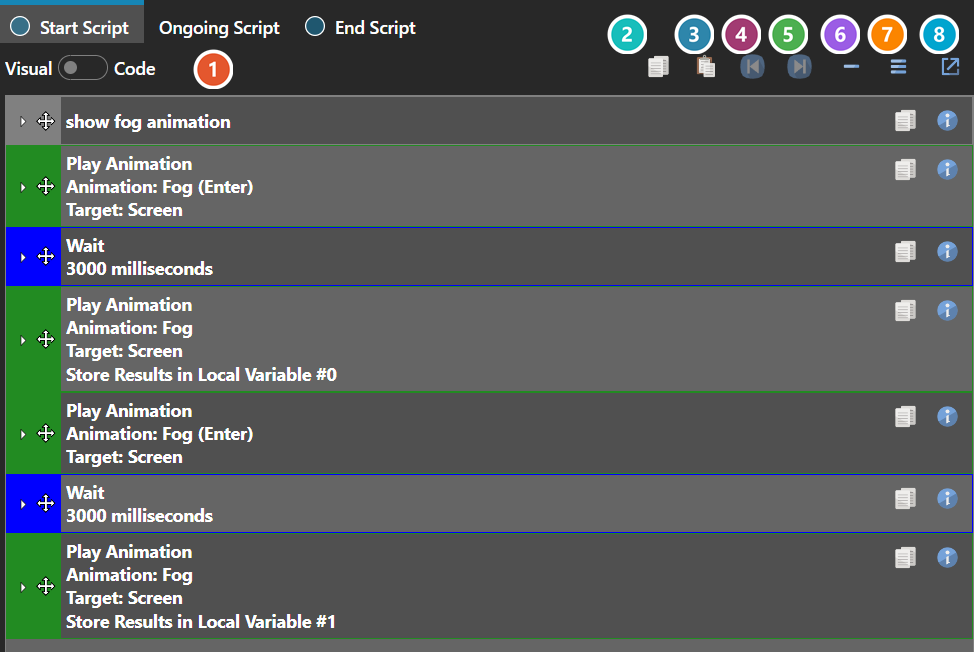
 Visual and Code
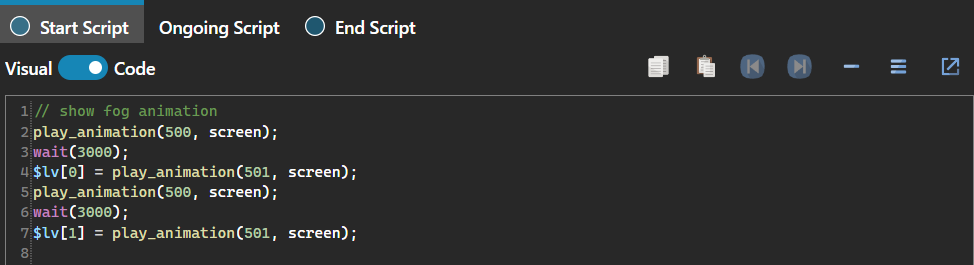
Switches between the command stack and the same script written as text. Visual is the default.
 Copy
Copy
Copies the entire script to the clipboard.
 Paste
Replaces the script with one from the clipboard.
 Undo
Undo
Steps back through edits made to this script.
 Redo
Redo
Steps forward again.
 Collapse All
Folds every command down to a single line.
 Expand All
Opens every command out again.
 Pop Out
Opens the script in its own window, which is worth doing on a long script — the embedded panel is only as tall as the section hosting it.
Note: In Code view, undo and redo are handled by the text editor itself rather than the script editor, so Ctrl+Z and Ctrl+Y behave as they would in any text box.